





1 min read
SAP Cloud ERP Private: What You Should Know About the RISE with SAP Rebrand
SAP Cloud ERP Private is the new name for RISE with SAP, offering the same core services with a refreshed focus on clarity and customization.
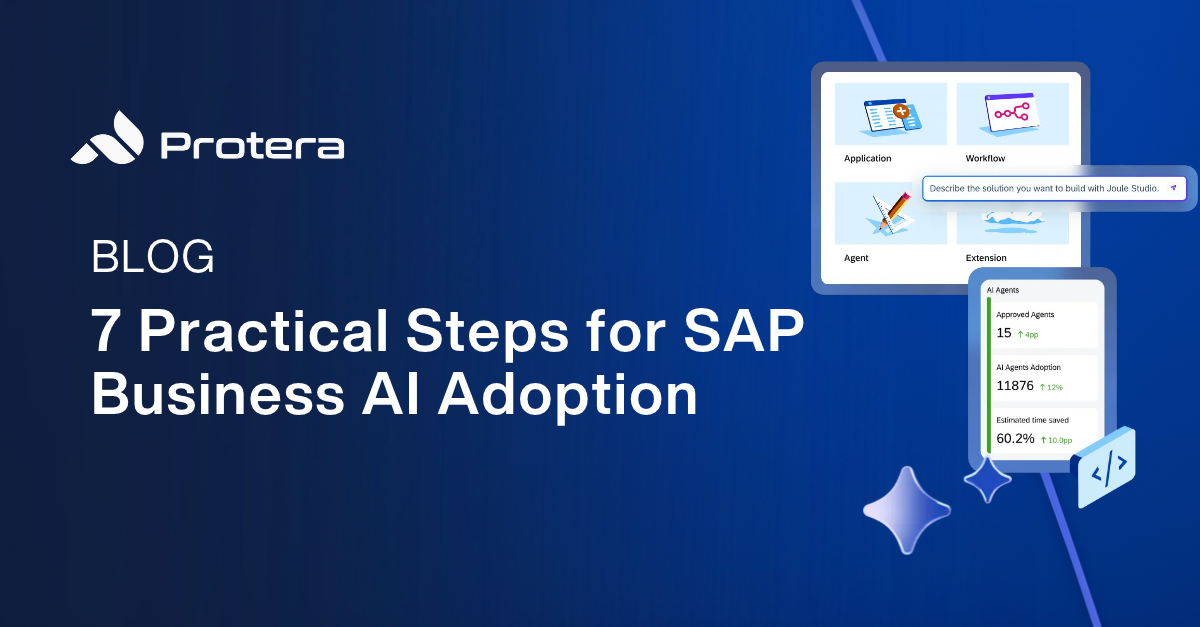
SAP made a big splash at Sapphire 2026 with announcements around the Autonomous Enterprise, Joule Work, new Joule agents and assistants, and the next generation of Joule Studio. The direction is ambitious: move AI beyond isolated copilots and into the processes that run the business.
For SAP customers, however, the practical questions are more immediate:
Those are the right questions. SAP's AI portfolio is growing quickly, but the smartest adoption strategy is not to activate everything at once. It is to identify one meaningful business problem, use the simplest capable technology, and create a controlled path from proof-of-concept to measurable value.
SAP Joule is SAP's AI copilot and engagement layer for interacting with SAP applications, data, and business processes using natural language. Depending on the product and scenario, Joule can answer questions, help users navigate to the right application, provide recommendations, complete transactions, and coordinate work across specialized AI agents.
That broad definition is important because Joule is no longer one feature. The name now spans several capabilities:
|
The practical takeaway: Don’t ask, “Should we buy Joule?” Ask, “Which Joule or SAP Business AI capability fits the process we need to improve, and what does that scenario require?” |
1. Start with a business process, not an AI product
The strongest SAP Business AI use cases begin with friction that employees and customers already feel. Look for work that is repetitive, spans several systems, depends on unstructured information, or forces people to copy, search, reconcile, and route information manually.
Good candidates often include:
Then ask a harder question: does this process actually need AI? A standard workflow, integration, portal, or rules-based automation may be faster, cheaper, and easier to govern. AI should be the enabler, not the goal.
2. Inventory the SAP AI capabilities you may already have
Many organizations are discussing advanced agents while leaving included capabilities untouched. Before purchasing anything new, review what is available within the SAP cloud products you already license, and which services can be activated in your landscape.
Start with three questions:
Availability varies by product, edition, region, and release. Use SAP's current AI Feature Catalog, SAP Discovery Center, and SAP Road Map Explorer to understand current product offerings, rather than relying on an old feature list or a Sapphire announcement for guidance.
3. Separate base AI, premium AI, and custom-built AI
SAP's 2026 commercial model is easier to understand when it is divided into three lanes. The exact contract mechanics can still vary, but this framework gives business and IT leaders a useful starting point.
|
Lane |
What it covers |
How to think about cost |
|
Base AI |
Foundational Joule interactions and eligible embedded AI in SAP cloud products. |
Included in eligible cloud subscriptions, subject to product availability and activation. |
|
Premium AI |
Advanced features, SAP-delivered agents, document ingestion and certain user productivity tools. |
Typically consumes AI Units based on actions, requests, records, or users. |
|
Custom-built AI |
Customer-specific agents, applications, workflows, and extensions built on SAP Business AI Platform. |
Access to tools and production runtimes follow SAP BTP and current promotional/commercial terms. |
Two considerations are important:
4. Match the type of AI to the type of work
The SAP Business AI portfolio becomes less confusing when you classify the work before selecting the tool.
This classification prevents a common mistake: buying or building an agent when a smaller, embedded feature would solve the problem with less complexity.
5. Confirm landscape eligibility and prerequisites early
A compelling demo does not guarantee that the same capability is available in your environment. Some scenarios arrive first in SAP cloud line-of-business products or S/4HANA cloud editions, while ECC, on-premises, regulated, or sovereign environments may have different timelines and integration options.
Before committing to a use case, confirm the following:
ECC customers should not assume they must wait to explore AI. Custom workflows and agents can still address business processes that touch ECC through governed integration patterns. But the architecture and economics may differ from turning on a prebuilt Joule capability in an eligible cloud product.
6. Pilot with power users and governance from day one
The first rollout should be large enough to produce meaningful feedback and small enough to control. Choose users who understand the process, will test responsibly, and can explain where the experience helps or fails.
A practical pilot should include:
Security cannot be an afterthought at the end of the project. Joule and SAP Business AI scenarios should be designed around existing identity and source-system authorizations, then tested for unintended access, overbroad actions, and edge cases before broader deployment.
7. Measure business value before you scale
Usage is not the same as value. A pilot can have strong engagement and still fail to improve the business. Define the baseline before launch and measure the outcome that justified the work.
Useful measures include:
The best first use case is not always the one with the biggest theoretical ROI. It is often the one that combines meaningful value, accessible data, manageable risk, visible sponsorship, and a realistic path to production.
Potentially. SAP announced a €100 million investment in its partner ecosystem to accelerate Business AI adoption. Its partner-led adoption program includes Adoption, Launch, Performance, and Enterprise packages for eligible customer projects involving SAP-delivered agents, custom agents, and AI-enabled workflows or applications.
Funding is not automatic. Qualification, nomination, scope, deliverables, timing, and partner requirements apply, and program terms can change. Treat funding as an accelerator for a sound use case, not as the reason to pursue one. Protera has worked closely with SAP on moving customers through this process and crafting solutions to helping customers qualify.
Is SAP Joule free?
Some Joule Base and eligible embedded AI capabilities are included with supported SAP cloud subscriptions, but activation and entitlement steps may still be required. Premium AI capabilities generally consume AI Units or follow a user-based metric. Always confirm the current commercial model for the specific product and use case.
What are SAP AI Units?
AI Units are SAP's shared consumption currency for Premium AI. Depending on the capability, usage may be measured by actions, requests, records, or users. Organizations purchase a pool of AI Units and consume it across eligible SAP AI services.
Does SAP Joule work with ECC?
Availability depends on the capability. Many prebuilt Joule and agent scenarios prioritize eligible SAP cloud products and S/4HANA environments. ECC customers can still explore custom AI, workflow, and integration scenarios through SAP BTP, but should validate the architecture, licensing, security, and roadmap for the specific use case.
What is Joule Studio?
Joule Studio is SAP's environment for building and managing custom AI agents, applications, and workflows grounded in SAP business context. SAP's 2026 vision expands it beyond the classic agent builder by delivering intent-based development, pro-code options, visual orchestration, managed runtime, and governance capabilities.
How does Joule handle user permissions?
Joule scenarios are designed to work with identity and source-system authorizations so users only access data and actions permitted by connected applications. That does not remove the need for testing. Teams should validate role propagation, segregation of duties, sensitive-data boundaries, logging, and exception behavior before rollout.
What is the best first SAP Business AI use case?
Choose a process with visible friction, a measurable baseline, accessible and reliable data, manageable risk, and an engaged business owner. Repetitive exception handling, information retrieval, assisted decision support, and multi-system coordination are often stronger starting points than broad, open-ended automation.
Should we wait for more SAP AI agents to become generally available?
Not necessarily. Use the time to activate included capabilities, clean up identity and data prerequisites, map high-friction processes, test governance, and evaluate a targeted custom workflow. Readiness work has value even when a specific roadmap item is not yet generally available.
SAP's Autonomous Enterprise vision is expansive, but successful adoption will happen one business process at a time. Organizations that begin with a real problem, understand what is available, control access, monitor consumption, and measure outcomes will be better positioned to scale as SAP's AI portfolio matures.
You do not need a perfect enterprise-wide AI strategy before you begin. You need one well-qualified use case, a small group of the right users, clear governance, and an honest definition of success.
Protera works with SAP customers to assess Business AI readiness, identify practical use cases, activate Joule capabilities, and build governed agents and workflows on SAP BTP. The objective is simple: move from theoretical AI to measurable business value without adding unnecessary complexity.
Protera helps customers get Joule, BTP or AI projects off the ground and has proven use cases for business process improvement and cost savings. Real results, real impact.
1 min read
SAP Cloud ERP Private is the new name for RISE with SAP, offering the same core services with a refreshed focus on clarity and customization.
1 min read
SAP Basis administrators are the unsung heroes of enterprise IT teams. They operate behind the scenes, ensuring systems run smoothly by handling...